

Embedding Copilot in the Java Toolchain: From the CLI to the SDK and Plugins#
GitHub Copilot is no longer just IDE completion. For Java teams, the practical questions are different: Can an Issue automatically become a reviewable PR in the cloud? Can CI run an inference step that only labels or comments—without writing code? Can JMeter, Office, or a custom desktop product embed the same agent instead of making users paste between external chat and their tools? This article follows four threads—Copilot CLI, Copilot cloud agent, Agentic Workflows (gh aw), and Copilot SDK for Java—to explain mechanisms, constraints, and minimal configurations you can adopt. Demo repository details (such as brunoborges/todo-app) illustrate behavior only; they are not product contracts.
Multi-entry agents: one repository, many trigger surfaces#
Why#
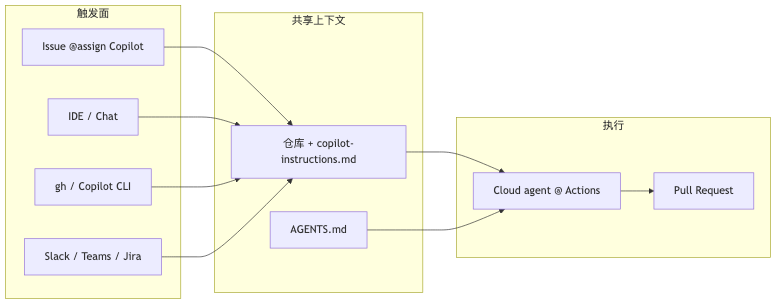
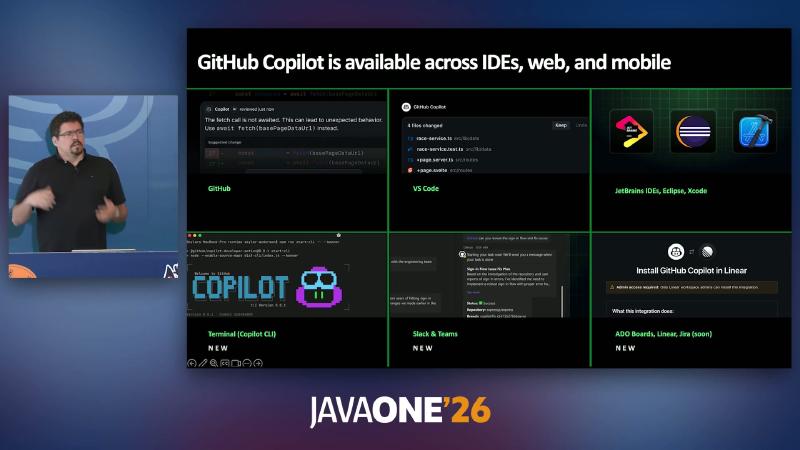
Java workflows are spread across GitHub Issues, IntelliJ/Eclipse, terminal scripts, and collaboration surfaces such as Slack, Teams, and Jira. If each entry point maintains its own prompts, you quickly get drift—cloud agent behavior diverging from the local CLI. Official documentation describes the Copilot cloud agent as an agent that explores code, makes changes, and opens PRs in a GitHub Actions–backed ephemeral development environment; entry points include Issue assignment, the IDE, gh, mobile, MCP, and integrations with Jira, Slack, Teams, Azure Boards, Linear, and more (see Starting cloud agent sessions). Presenter’s view: “prompt once, agents everywhere” summarizes that matrix; it is not a fixed slogan in the docs.
Mechanism and constraints#
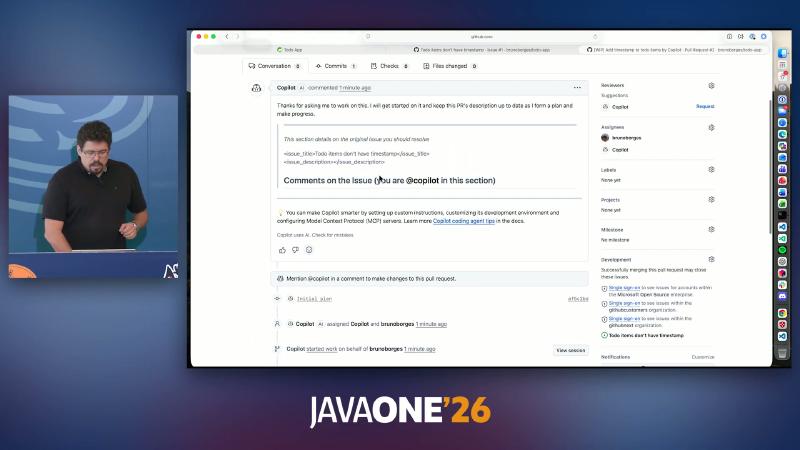
- Assigning an Issue to Copilot starts a background coding session; when it finishes, it raises a pull request and requests human review.
- Entry points without a model picker default to the Auto model (routing under availability and rate limits).
- Cloud agent default MCP includes GitHub MCP (read-only on the repo, permissions expandable) and Playwright MCP (read pages, interact, screenshot; default host allowlist is
localhost/127.0.0.1)—see MCP and cloud agent.
How to#
gh issue edit 1 --repo org/todo-app --add-assignee "@copilot"
# or assign when creating
gh issue create --repo org/todo-app \
  --title "Show timestamps on todo items" \
  --body "Add createdAt/completedAt to UI." \
  --assignee "@copilot"
Common misconceptions#
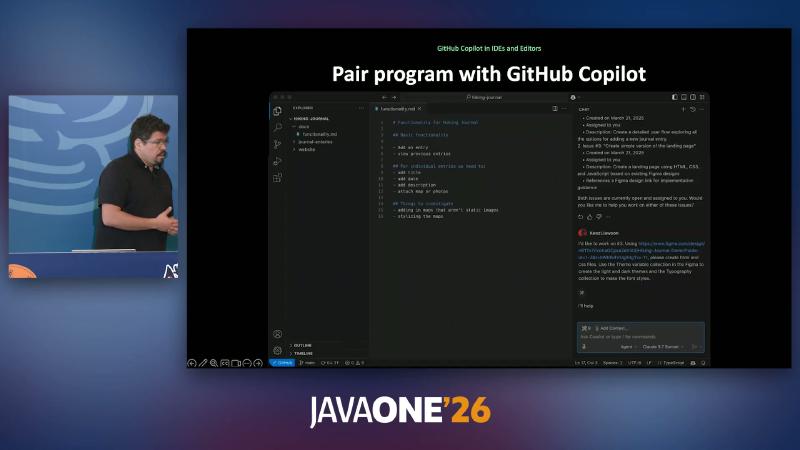
- Treating “assign Issue” as “open Copilot Chat in the local IDE”—the former runs a full-repo task in a cloud Actions environment; the latter does not automatically open a PR.
- Assuming Playwright always attaches screenshots to the PR—official docs guarantee the capability exists; whether images appear depends on the task and agent decisions.
Copilot CLI: terminal agent, permissions, and slash commands#
Why#
Exploratory work (scaffolding, one-off scripts, local multi-file refactors) needs a low-friction REPL: one sentence to start, readable directories, resumable sessions. A GUI-only flow is hard to combine with cron, gh scripts, or SSH sessions.
Mechanism and constraints#
Symbols aligned with the live demo in the CLI command reference:
| Symbol | Role (official summary) |
|---|---|
/yolo | Equivalent to relaxing tools/paths/URLs (same as --allow-all) |
/context | Show token usage breakdown |
/plan | Produce an implementation plan first; also toggle plan mode with Shift+Tab |
/resume | Resume an interactive session |
!cmd | Run shell directly, without model interpretation |
/mcp | Manage MCP servers |
/fleet | Parallel sub-agents (see below) |
Official guidance: auto-approve modes should run on a VM, container, or dedicated system (Configure CLI permissions). Presenter’s view: pairing Docker Sandboxes with YOLO is a product recommendation to isolate host risk; “Docker Sandbox” is not a built-in Copilot CLI subcommand—for Docker, see Copilot in Sandboxes.
How to#
# Non-YOLO: suitable for daily use
copilot -p "Explain this Maven multi-module layout"

# High risk: isolated environment only
copilot --yolo -p "Refactor package structure and run ./mvnw test"
In the REPL: /plan to plan first; /context to inspect the window; !git status to run git directly.
Common misconceptions#
- Leaving
/yoloon permanently on a production laptop—official risk warnings match the demo: the agent may runrmand similar commands directly. - Treating
docker run … ghcr.io/github/copilot-clias the only install path—the copilot-cli README recommendscopilot-install,brew,npm -g @github/copilot, and others.
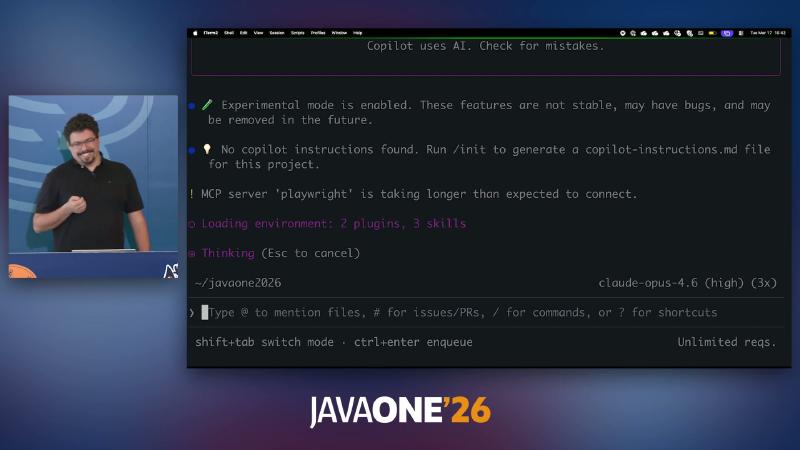
/init” and MCP server playwright connection status.
Cloud Coding Agent: Issue → PR and Playwright#
Why#
Splitting “implement + run tests + UI self-check + evidence for reviewers” across manual steps adds latency and context switching. The cloud agent bundles implementation and verification into one background task; humans stay mostly in review-only mode.
Mechanism and constraints#
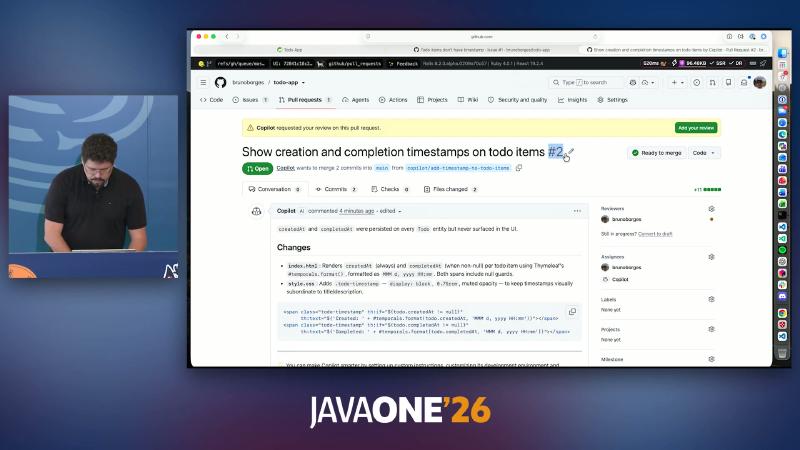
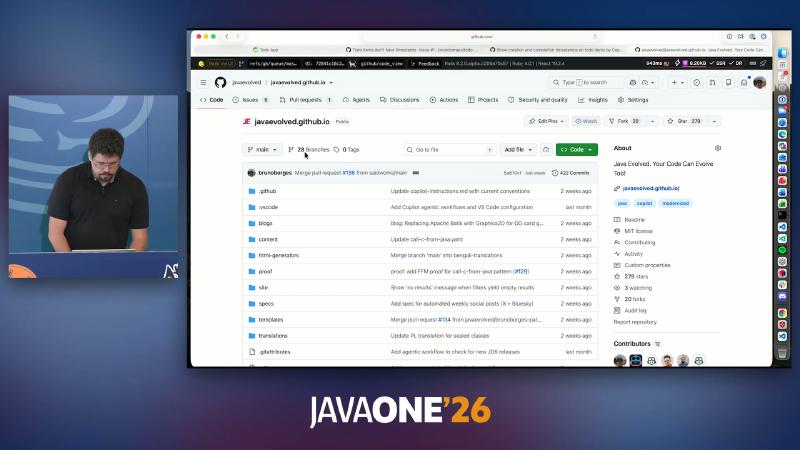
In the demo repo brunoborges/todo-app, the Issue asked to show creation/completion times on todo items; the agent added Thymeleaf display where entities already had createdAt/completedAt (demo content, not an official sample).
How to#
gh pr checkout 2 --repo brunoborges/todo-app
./mvnw spring-boot:run
Template fragment (consistent with PR OCR):
<span class="todo-timestamp" th:if="${todo.createdAt != null}"
  th:text="${'Created: ' + #temporals.format(todo.createdAt,'MMM d, yyyy HH:mm')}"></span>
<span class="todo-timestamp" th:if="${todo.completedAt != null}"
  th:text="${'Completed: ' + #temporals.format(todo.completedAt,'MMM d, yyyy HH:mm')}"></span>
Common misconceptions#
- Assuming the cloud agent only works on
main—it checks out and edits in a temporary Actions environment; locally usegh pr checkoutto verify. - Ignoring Playwright’s localhost restriction—testing remote staging requires explicit configuration in a custom environment.
JDK for the cloud agent: copilot-setup-steps.yml#
Why#
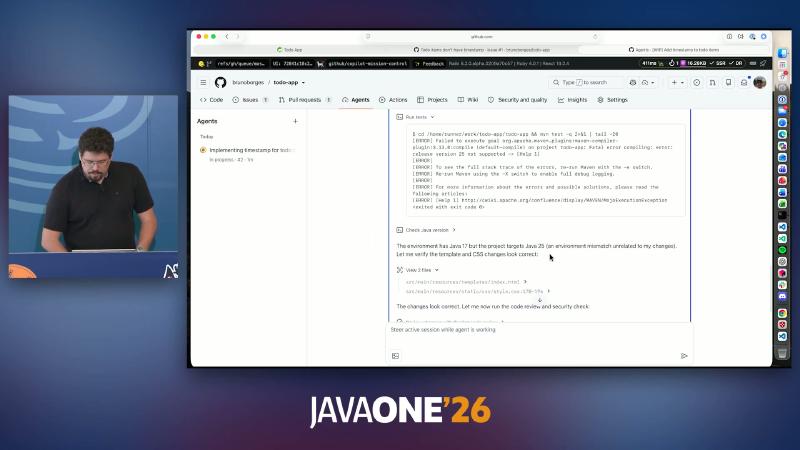
GitHub-hosted Ubuntu 24.04 images ship JDK 17 by default (see the runner software table). If pom.xml uses <release>25</release>, mvn test inside the agent fails with release version 25 not supported, and the PR may fail CI collectively—that is not “the agent wrote bad code” but the environment was not aligned before startup.
Mechanism and constraints#
- Path:
.github/workflows/copilot-setup-steps.yml - Must include a job named
copilot-setup-steps; runs before the agent starts work. - The file must be on the default branch to be picked up (you can self-test with
workflow_dispatch). - Docs: Customize the cloud agent development environment
How to#
# .github/workflows/copilot-setup-steps.yml
name: Copilot Coding Agent · Setup Steps
on: workflow_dispatch
jobs:
  copilot-setup-steps:
    runs-on: ubuntu-latest
    steps:
      - uses: actions/setup-java@v4
        with:
          distribution: temurin
          java-version: "25"
      - run: java -version && ./mvnw -q -v
gh aw init also generates this file (Agentic Workflows and the cloud agent share the hook).
Common misconceptions#
- Adding the setup file only on a feature branch—the agent does not see it until merged to the default branch.
- Changing only the GitHub Actions CI workflow, not
copilot-setup-steps—they run at different times.
Code Review Agent: write–review–fix loop#
Why#
Diffs from the main coding agent often have predictable nits: Thymeleaf null handling, CSS layout, missing tests. If everything waits on human comments, reviewers spend time on formatting instead of business risk.
Mechanism and constraints#
- Explicit PR review: choose Copilot under Reviewers (Use Copilot code review).
- Built-in second pass on cloud agent: docs state the agent runs security scanning when generating code and gets a second opinion on its code with Copilot code review (Configure agent settings)—related to but not identical to the standalone review UI on the PR.
- The following Thymeleaf/CSS-level comments come from live OCR, not official templates:
How to#
Trigger “Review with Copilot” on the PR, or rely on the cloud agent’s built-in review in your flow. Example fix:
.todo-timestamp {
  display: block;
  font-size: 0.75rem;
  opacity: 0.6;
}
Common misconceptions#
- Treating “built-in second opinion” as “the same line-by-line comments as in OCR will always appear in PR Conversation”.
- Expecting Copilot to Approve—docs state its review type is Comment, not approve or request changes.
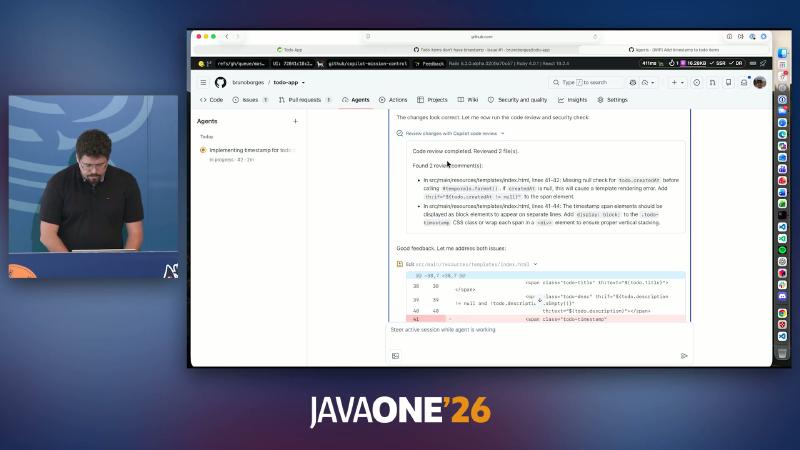
#temporals.format() and a display: block suggestion for .todo-timestamp.
Agentic Workflows: Markdown prompts and safe-outputs#
Why#
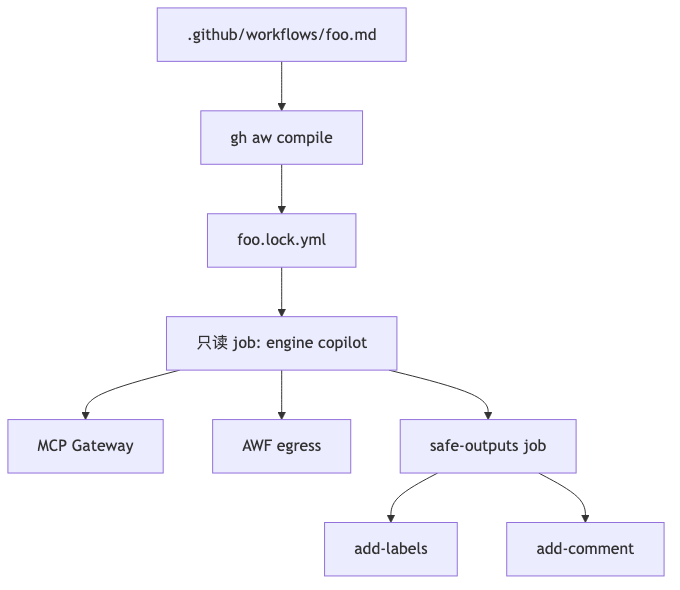
The biggest risk when embedding an LLM in CI is an agent with contents: write accidentally changing the repo, pushing branches, or deleting resources. Agentic Workflows separate “reasoning” from “writes”: the main job is read-only; writes can only go through compile-time–validated safe-outputs allowlists.
Mechanism and constraints#
Treat github/gh-aw as source of truth (install: curl -sL …/install-gh-aw.sh | bash, see install.md):
- Source: Markdown + YAML front matter; after changes run
gh aw compileto generate.lock.yml(do not edit by hand). engine: copilot(also supports claude, codex, gemini, etc.).- Production recommends
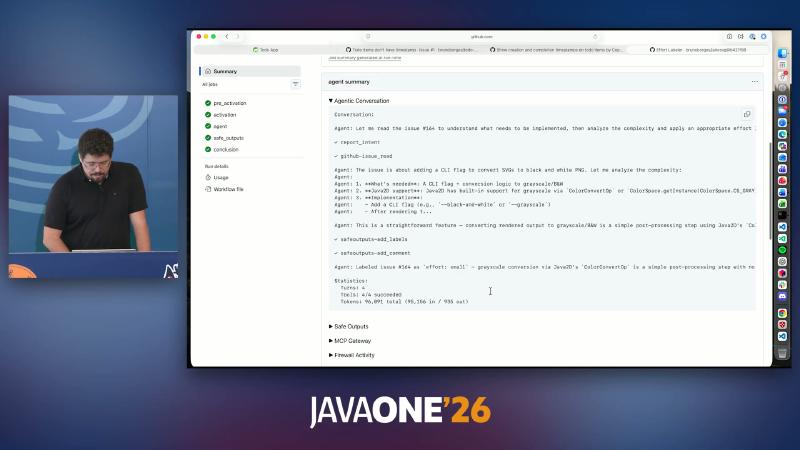
strict: true; the main job must not useissues: write/pull-requests: write/contents: writedirectly. - Job summary MCP Gateway, Agent Workflow Firewall (AWF), and Firewall Activity align with the security architecture.
How to#
---
on:
  issues:
    types: [opened]
safe-outputs:
  add-labels:
    allowed: [effort:small, effort:medium, effort:large]
  add-comment:
    max: 1
engine: copilot
strict: true
---
Read the issue; apply exactly one effort:* label and one brief comment.
gh aw compile
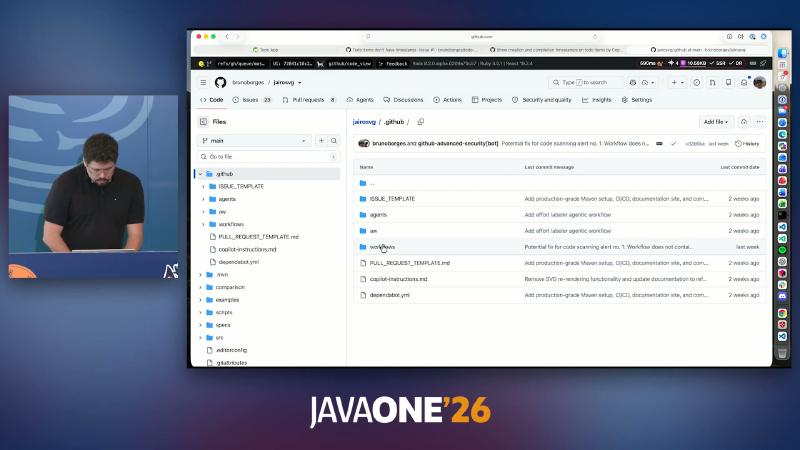
git add .github/workflows
git commit -m "feat: agentic effort labeler"
Common misconceptions#
- Hand-editing
.lock.yml—the next compile overwrites it and may bypass validation. - Using the deprecated
githubnext/gh-awinstall path—followgithub/gh-awdocumentation.
Custom LabelOps: /effort and Effort Labeler#
Why#
Not every Issue needs a coding agent to write code. Size estimates, implementation hints, and label taxonomy fit read-only reasoning + constrained writes (labels/comments) for scheduling or later assignment to a coding agent.
Mechanism and constraints#
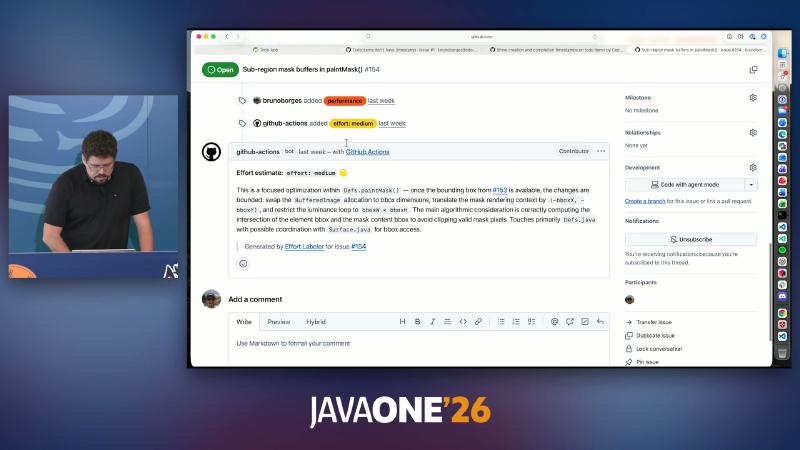
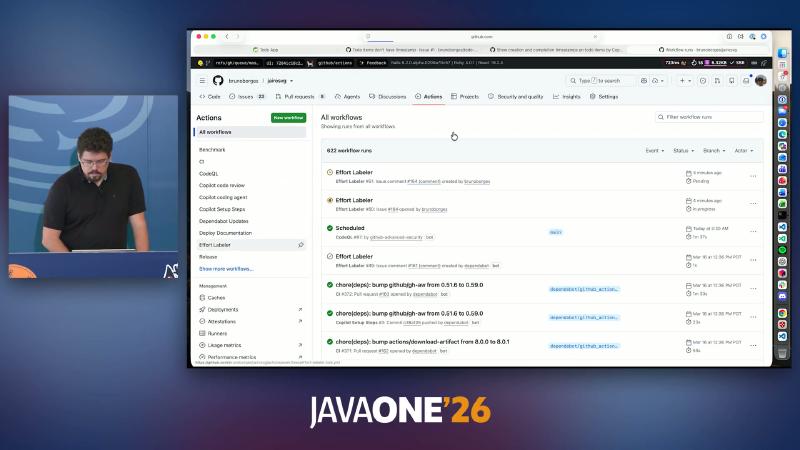
/effortis a custom slash command in the demo repo, not a global GitHub built-in; official docs only provide theon.slash_commandpattern (triggers, safe-outputs).- Historical issue #154 shows
effort: mediumand implementation notes (BufferedImage, bbox, etc.)—demo OCR. - Presenter’s view: the live demo hit “Effort Labeler is disabled”; the workflow list is circumstantial evidence, not an official “always succeeds” guarantee.
How to#
Type /effort in an Issue comment (when the repo has the corresponding agentic workflow). Equivalent event payload concept:
{ "comment": { "body": "/effort" }, "issue": { "number": 164 } }
Common misconceptions#
- Treating Effort Labeler as an out-of-the-box GitHub product feature.
- Expecting comments to trigger after the workflow is disabled—check Actions enablement and the lock file on the default branch.
/fleet: parallel sub-agents in the CLI#
Why#
A single-threaded LLM is slow for multi-language translation or multi-module scaffolding. /fleet lets the main agent split subtasks; sub-agents run in parallel (fleet concept).
Mechanism and constraints#
- The main agent orchestrates dependencies and merge.
- Parallelism amplifies prompt drift (e.g. wrongly adding RTL CSS to
<code>blocks)—forbid this inAGENTS.md/ copilot-instructions.md. - A parallel task list in the UI may not match the current demo repo (the presenter asked viewers to verify against the slide).
How to#
copilot --yolo -p "/fleet translate the UI to Portuguese and Spanish"
Typical main-agent decomposition (presenter demo summary): i18n config → messages.properties → Thymeleaf → language-switch CSS → ./mvnw test.
Common misconceptions#
- Forgetting
--yolowhen subtasks need auto-execution—sub-agents may stop at confirmation prompts. - Not scoping parallel sub-agents to directories in instructions, causing multiple subtasks to conflict on the same file.
Copilot SDK for Java: protocol handshake and JMeter plugin#
Why#
When an agent must live inside an existing Java desktop or server product (JMeter GUI, Office add-in, browser extension), parsing CLI stdout is unreliable: you need stable sessions, permission callbacks, and protocol version handshake. Official copilot-sdk-java starts Copilot CLI as a server subprocess; community copilot-community-sdk/copilot-sdk-java is archived and points to the official library.
Mechanism and constraints#
- Maven coordinates (README):
com.github:copilot-sdk-java; requires Copilot CLI 1.0.17+, Java 17+ (JDK 25 recommended for virtual threads). - Source
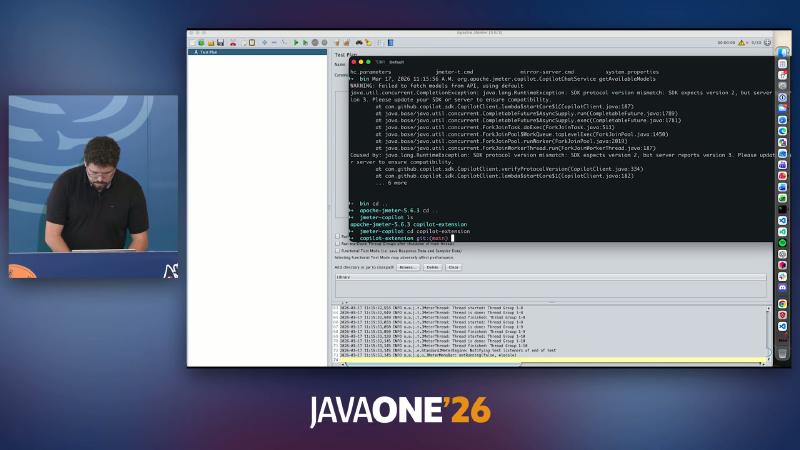
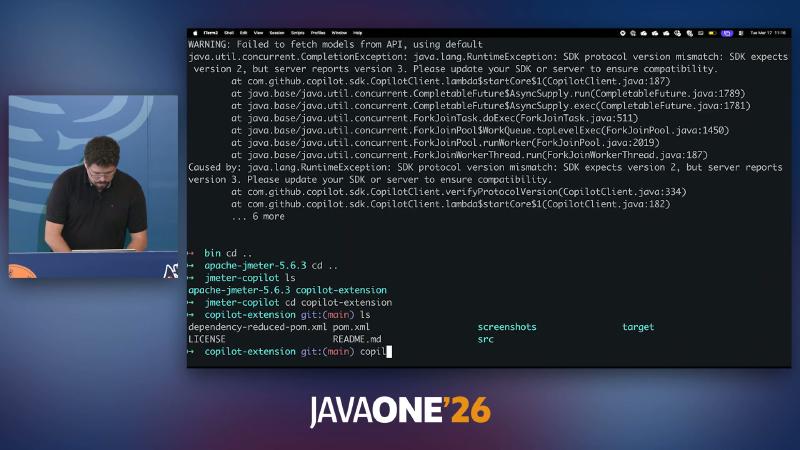
CopilotClient.verifyProtocolVersion:MIN_PROTOCOL_VERSION = 2, exchangesprotocolVersionviaconnect/pingRPC; mismatch fails fast (matches live stack traces). - Official README “Projects Using This SDK” lists
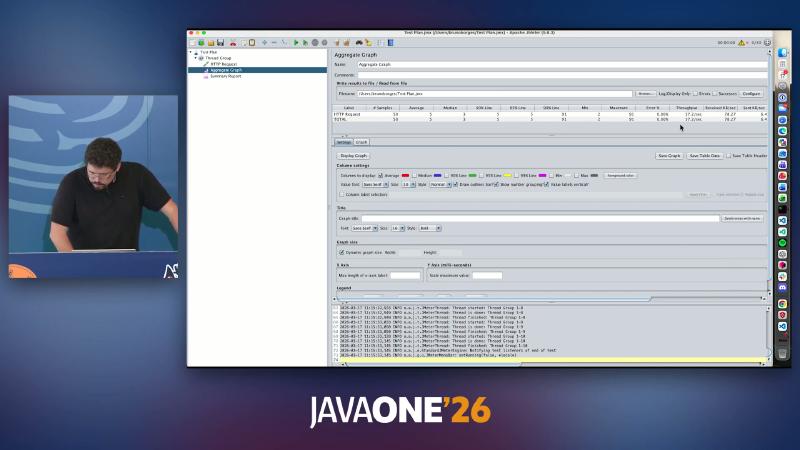
brunoborges/jmeter-copilot-plugin—integration pattern exists; 57.2/sec and similar metrics are demo OCR only.
How to#
import com.github.copilot.sdk.CopilotClient;
import com.github.copilot.sdk.json.*;

try (var client = new CopilotClient()) {
    client.start().get();
    var session = client.createSession(
        new SessionConfig()
            .setModel("auto")
            .setOnPermissionRequest(PermissionHandler.APPROVE_ALL))
        .get();
    var result = session.sendAndWait(
        new MessageOptions().setPrompt(
            "Emit JMeter .jmx: 50 users, 5 min, GET http://localhost:8080/"))
        .get();
    // SaveService.loadTree(...) → attach to JMeter test tree
}
Troubleshooting (reproducible log): align SDK and local copilot CLI versions.
SDK protocol version mismatch: SDK expects version 2, but server reports version 3
Please update your SDK or server to ensure compatibility.
Common misconceptions#
- Continuing to use archived community coordinates or old package
com.github.copilot.sdk(follow official README). - Upgrading CLI without SDK (or vice versa)—protocol number changes cause startup failure, not merely “worse model answers”.
CLI or SDK: selection and repository-level contracts#
Why#
CLI-only is hard to embed in product UI; SDK-only wastes effort on one-off scripts. A steadier split: CLI for exploration and automation scripts; SDK when you need in-process sessions, permission UI, and protocol errors surfaced in-app. Official docs position terminal interaction vs programmatic control of Copilot CLI separately—there is no single “decision matrix” page; the table below is engineering synthesis.
| Scenario | Lean toward | Rationale |
|---|---|---|
Local trial-and-error, REPL, cron | CLI | Zero embed cost; /plan /fleet built in |
| Chat inside desktop/IDE plugin | SDK | Protocol handshake, Session, PermissionHandler |
| Issue → PR | Cloud agent + repo instructions | Platform-hosted environment + MCP |
| CI read-only inference + labels | gh aw + safe-outputs | Minimal write permissions |
Mechanism and constraints#
.github/copilot-instructions.md: repository custom instructions consumed by cloud agent and code review (frontmatterexcludeAgentcan exclude agents).AGENTS.md: CLI reads from repo root orCOPILOT_CUSTOM_INSTRUCTIONS_DIRS; GitHub repos may place multiple copies—nearest path wins (CLI custom instructions). Do not overstate “IDE/CLI/cloud 100% same file, same semantics”—the IDE has separate configuration paths.- MCP: cloud agent docs warn third-party MCP can affect performance and quality; prefer a tools allowlist. Presenter paraphrase: keynote claim that “200+ tools increase error rate” was not found with equivalent wording in official docs.
# AGENTS.md (example fragment)
- Java release: 25 (see pom.xml).
- Build: ./mvnw test
- Never apply RTL to <pre>/<code> (i18n).
- UI changes: prefer Playwright MCP on localhost; attach screenshot in PR when applicable.
Common misconceptions#
- Stacking many MCP servers without an allowlist—increased tool-discovery noise and latency.
- Writing only
copilot-instructions.mdbut ignoring CLIAGENTS.md(or the reverse), splitting local vs cloud behavior.
Demo failures are boundary samples too#
Two “failures” in the session mark engineering boundaries:
- Effort Labeler did not run—custom workflow lifecycle and Actions enablement matter; this is not a model-capability issue.
- JMeter plugin SDK v2 / CLI v3 mismatch—the integration point is a versioned RPC protocol, not a chat API string.
Including these in a runbook (align copilot-setup-steps, align SDK/CLI, check workflow disable) guides production adoption better than happy-path demos alone.
References and further reading#
- Copilot cloud agent concepts
- Start cloud agent sessions (including Issue assignment)
- Default MCP for cloud agent (including Playwright)
- Customize cloud agent environment (copilot-setup-steps)
- Ubuntu 24.04 runner software list (Java versions)
- Use Copilot code review
- Configure cloud agent validation and second review
- Copilot CLI command reference (slash table)
- Copilot CLI permissions and YOLO
/fleetparallel sub-agent concept- github/gh-aw repository
- Agentic Workflows security architecture (AWF / MCP Gateway)
- Official Copilot SDK for Java
- CopilotClient source (protocol handshake)
- Repository copilot-instructions.md
- Awesome Copilot community collection