
JavaFX 26: Engineering Baseline and Selection Boundaries for Desktop UI#
JavaFX 26 is the OpenJFX Tip feature GA for 2026, released alongside JDK 26. For teams with an existing Swing/JavaFX hybrid stack or a planned JDK upgrade, the value of this release is not “yet another control,” but three things you can verify: how version families pair, which APIs are still non-final, and how graphics and headless paths land on macOS and in CI. If you maintain long-running industrial-control or financial clients, you typically fork between Tail (25.0.x) and Tip (26): the former takes patches and limits risk; the latter adopts CSS/text/Prism capabilities and accepts Preview migration cost. The sections below are organized around engineering decisions; timing judgments not found in the release notes or Javadoc are labeled speaker opinion or pending local verification.
Where a scene-graph toolkit sits in 2026#
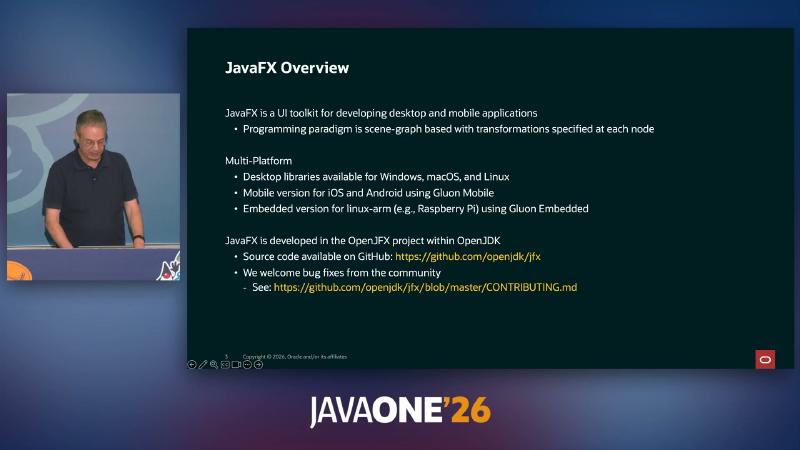
JavaFX remains a client UI toolkit built on a scene graph: node-level transforms, CSS styling, built-in controls, and 2D/3D graphics all belong to the OpenJFX project. Desktop coverage spans Windows, macOS, and Linux; mobile and embedded paths usually go through ecosystem extensions such as Gluon (product roadmap, not core 26 GA delivery).
At the overview level, 26’s incremental work clusters in four areas: text and CSS expressiveness, macOS Prism backend, title-bar embedded UI (Preview), and incubator rich text (Incubator). For stable surfaces, still lock to GA modules such as javafx.controls and javafx.fxml; experimental capabilities need separate architecture review and CI isolation.
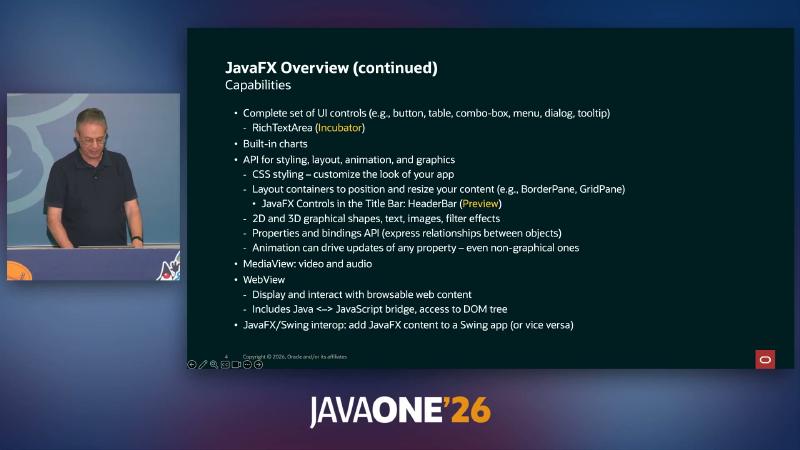
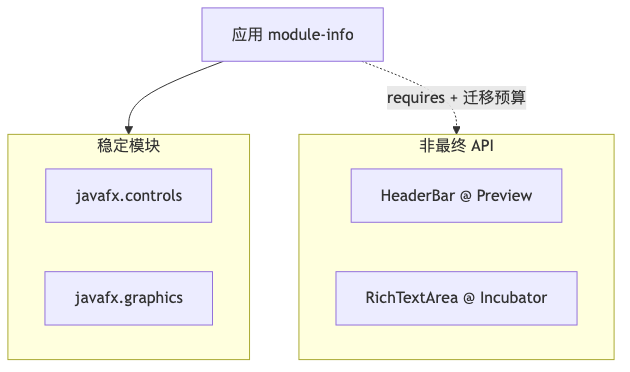
Common misconception: treating Preview/Incubator as “just one more line in the docs.” StageStyle.EXTENDED and HeaderBar are both marked in Javadoc as subject to change or removal in future releases; 25→26 already saw HeaderBar API updates. Upgrades should reserve compile-time and UI regression windows, not only JDK minor-version swaps. Another practical point: Preview follows JDK preview-API conventions—enablement is per your JDK’s preview documentation. JavaFX 26 release notes do not enumerate every JVM flag; in CI, split jobs for “preview-enabled builds” and “production builds” so experimental modules do not land in the same artifact.
Tip and Tail: aligning version families#
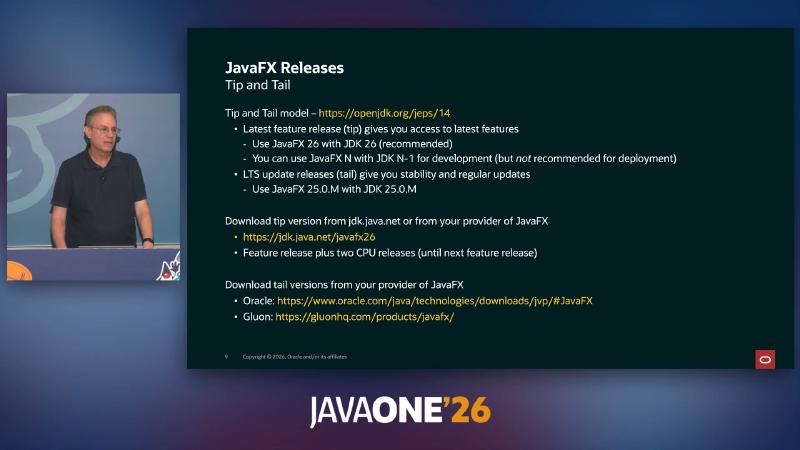
Since JEP 14, OpenJDK has used a Tip and Tail information model: Tip carries new features; Tail delivers stable fixes as patches. JEP 14’s scope is the JDK and does not name JavaFX verbatim; operationally, JavaFX aligns from javafx26 and the separate javafx25.0.2 patch line.
| Track | Recommended pairing | Official boundary |
|---|---|---|
| Tip (features) | JavaFX 26 + JDK 26 | JavaFX 26 release notes: requires JDK 24+, JDK 26 recommended |
| Tail (stable patches) | e.g. JavaFX 25.0.x + JDK 25.0.x | Download page offers three-part patch numbers such as 25.0.2; slides show 25.0.M as illustrative—not a literal .0.M on the download page |
Why: JavaFX includes native rendering and the Glass window layer; major-version mismatch often surfaces at module path, bytecode, or Prism initialization—not only when business logic runs.
Mechanism/constraints: javafx26 download page states the design goal is co-release with JDK 26, with known operation on JDK 24. Speaker opinion: during development you may temporarily use JavaFX N + JDK N−1; not recommended for production—consistent with “24+ runs, 26 recommended,” but there is no formal “development only” wording.
How to (module-path run, reproducible):
export JAVAFX_SDK=/path/to/javafx-sdk-26
java --module-path "$JAVAFX_SDK/lib" --add-modules javafx.controls \
  -cp app.jar com.example.Main
Gradle examples should lock languageVersion and org.openjfx:javafx-* artifact versions in the same family (e.g. 26.0.x).
Common misconception: chasing Tip-only Preview APIs on a Tail production line; or upgrading only the JDK without JavaFX artifacts, breaking support matrix and vulnerability-fix channels.
Commercial support roadmap: support return ≠ rebundling the JDK#
From 2026 onward, Oracle’s Java Verified Portfolio support roadmap again documents JavaFX support on the Premier Support timeline for the corresponding JDK, with no extra charge for qualifying Oracle customers (per contract and MOS). That is separate from “putting JavaFX back inside the JDK installer.”
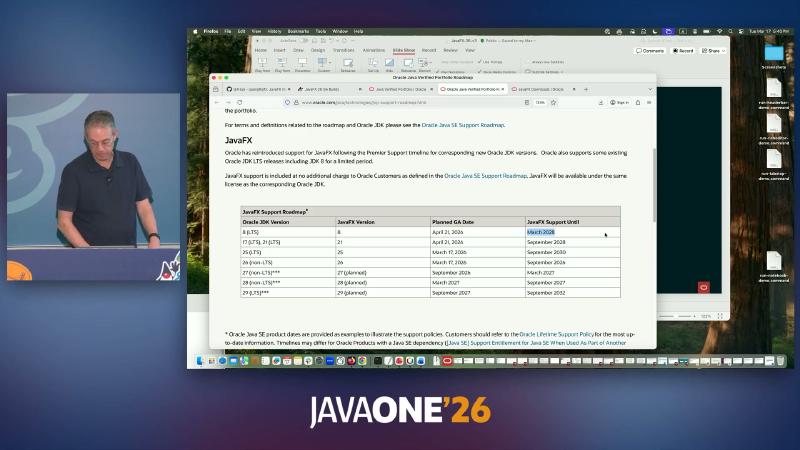
OpenJFX Download Wiki states plainly: since JDK 11, javafx.* modules are no longer shipped with the JDK; download the SDK separately or pull Maven coordinates via your build tool.
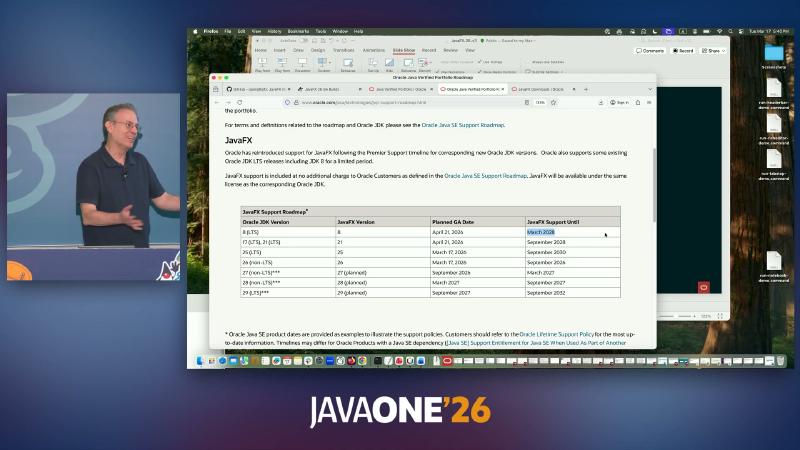
Why: procurement and ops need queryable EOL; development needs clarity on dependency acquisition so teams do not assume JAVA_HOME includes JavaFX.
Mechanism/constraints: JVP table lists JavaFX 21/25 as LTS rows; 26 is non-LTS with a shorter window (page dates marked as examples). “Since JavaFX 21, five-year alignment with JDK LTS” should be softened to: LTS versions follow the JVP table and corresponding JDK LTS; non-LTS feature releases have shorter windows.
How to: in internal records, track jdk_vendor, jdk_major, javafx artifact version, and support links (Java SE support roadmap / JVP) together.
Common misconception: legal reads “commercial support return” as “we can drop standalone JavaFX dependencies”—JDK 11+ still requires explicit OpenJFX artifacts.
CSS: from system themes to viewport and easing curves#
Since JavaFX 25, CSS supports media feature queries (e.g. prefers-color-scheme); 26 extends scene size/aspect ratio viewport features and adds piecewise linear easing (JDK-8358450, JDK-8372203), aligned with CSS Easing Functions Level 2.
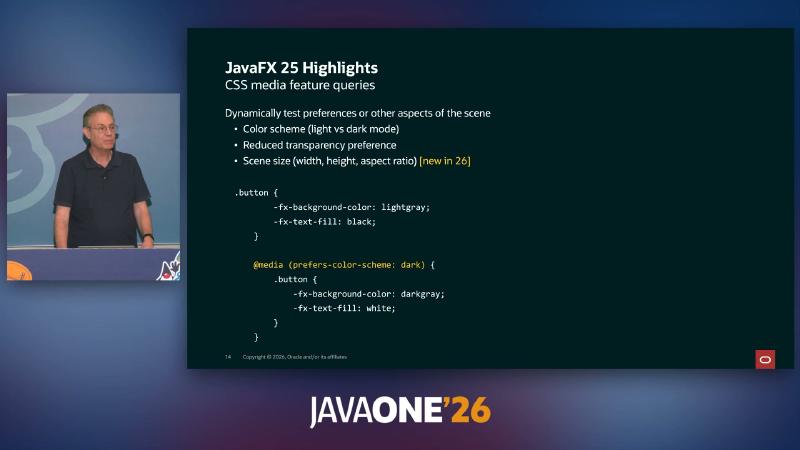
@media (prefers-color-scheme: dark) example; Scene size marked new in 26
Why: fewer hard-coded theme branches in Java; animations are not limited to built-in keywords—easier to express bounce-like curves (live demo is speaker opinion, reproducible but not normative).
Mechanism/constraints: media queries apply in Scene context; viewport features re-evaluate on window resize. Animation infrastructure evolved across 24–26; on upgrade, check each release’s RN for CSS/animation breaking changes.
How to:
.button {
  -fx-background-color: lightgray;
  -fx-text-fill: black;
}
@media (prefers-color-scheme: dark) {
  .button {
    -fx-background-color: darkgray;
    -fx-text-fill: white;
  }
}
Use the JavaFX CSS reference for piecewise-linear syntax.
Common misconception: treating JavaFX CSS as the full browser CSS set; or silent failure on unsupported selectors—cross-check JavaFX-specific properties in the CSS reference.
Text layout: geometric tab stops and caret geometry#
Simulating tabs with “character count × fixed width” misaligns in proportional fonts. TabStopPolicy (25, JDK-8314482) lets TextFlow define tab stops by geometric position. 26 adds getLayoutInfo(), caretShape, getRangeShape, and more (see JavaFX 26 new API list) for IDE-style hit testing and automated assertions.
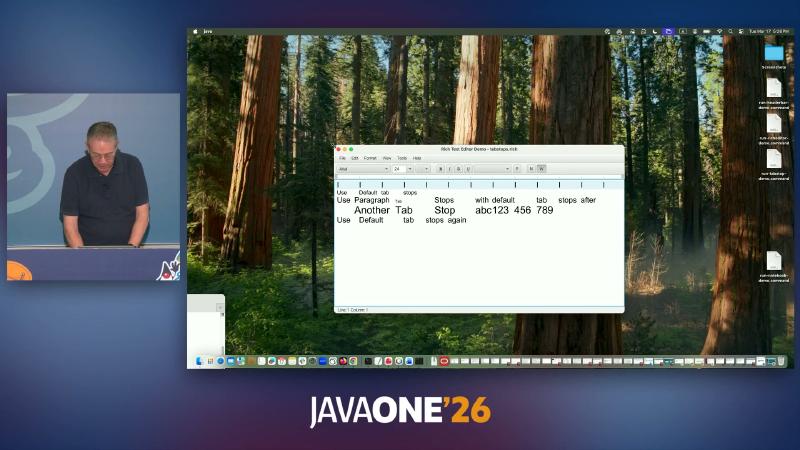
Why: reports, code editors, and rich-text tools need pixel-level column alignment and caret rectangles—not only Text’s simpler layout.
Mechanism/constraints: tab-stop policy binds to TextFlow (and corresponding rich-text paths); speaker opinion: RichTextArea tab-stop enhancements on the 27 roadmap are still under review—do not assume parity in 26 GA.
How to:
var flow = new javafx.scene.text.TextFlow(
    new javafx.scene.text.Text("Col1\tCol2\n"));
// flow.setTabStopPolicy(policy); // JavaFX 25+
var info = flow.getLayoutInfo();
Common misconception: copy-pasting layout logic between Text and TextFlow; prefer layout snapshot APIs for tests instead of full-window screenshot comparison.
macOS Prism: Metal optional, ES2 still default#
Apple has deprecated OpenGL. JavaFX 26 introduces a Metal-based Prism pipeline on macOS, but JDK-8271024 states clearly: ES2 remains the macOS default; Metal is an optional enhancement. In jfx26-tagged PrismSettings, the default try order is es2 → mtl → sw; system properties can override.
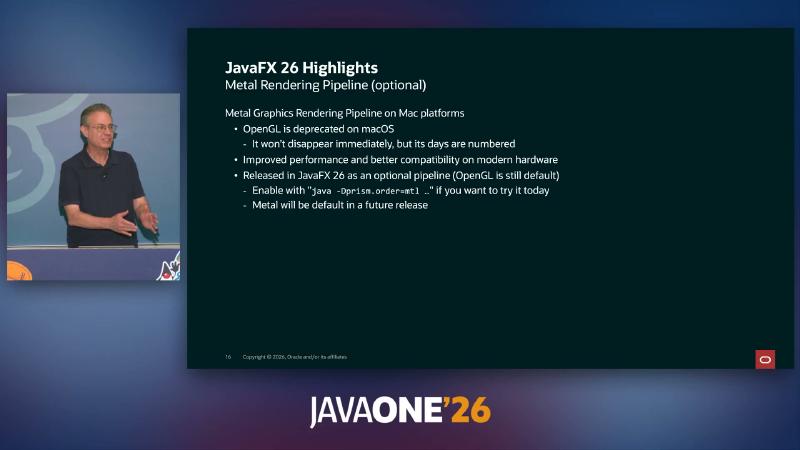
java -Dprism.order=mtl ...
Why: validate Metal before the OpenGL exit window, avoiding a concentrated GA switchover.
Mechanism/constraints: prism.order accepts a comma-separated list; OpenGL init failure tries the next pipeline in order (fallback semantics from source order, not a separate RN paragraph). Development master already changed macOS default to mtl, es2, sw toward 27—≠ published 27-ea binaries already switched—pending local verification (java -Dprism.verbose=true).

How to:
java -Dprism.order=mtl -jar myapp.jar
In VMs, note JDK-8375466 (Metal crash fix on virtualized macOS).
Common misconception: enabling Metal by default in 26 production without GPU/VM matrix testing; or treating master-branch default order as 26 GA behavior.
Headless Window Toolkit: CI and off-screen rendering#
26 labels the headless Glass platform POC (JDK-8324941), enabled via -Dglass.platform=headless (JDK-8364687 unified lowercase headless). Use cases include display-less UI tests and snapshot/Canvas export on Scene/Node.
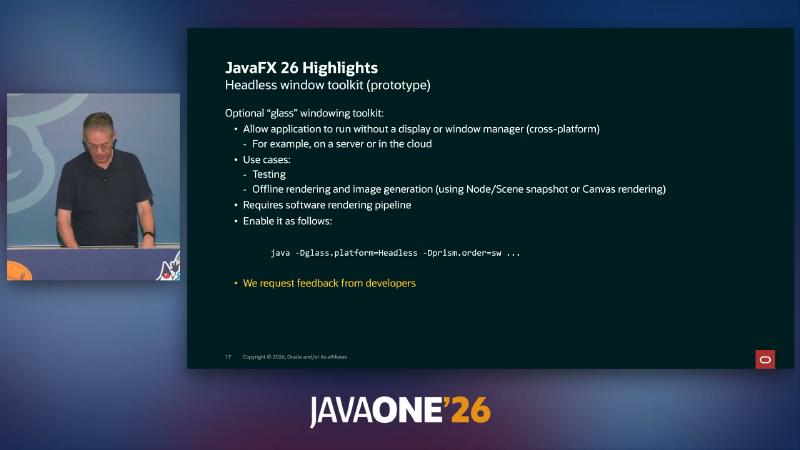
java -Dglass.platform=Headless -Dprism.order=sw ...
Why: run JavaFX integration tests on CI/cloud hosts without physical displays or window managers.
Mechanism/constraints: JavaFX 26 Highlights and RN only document glass.platform=headless as the official enablement. Slides also show -Dprism.order=sw (software rendering), consistent with “needs a software render pipeline”—a practical combination for headless runs; whether both are mandatory is not enumerated in RN—production checklists should start with the single flag; combined usage needs verification on your target JDK/JavaFX build.
How to:
java -Dglass.platform=headless -Dprism.order=sw \
  --module-path "$JAVAFX_SDK/lib" --add-modules javafx.controls \
  -cp tests.jar com.example.HeadlessRenderTest
Common misconception: forcing prism.order=mtl in headless environments; or treating POC as long-term stable API without pinning OpenJFX patch versions.
Title-bar embedding: StageStyle.EXTENDED and HeaderBar#
Modern desktop apps often extend toolbars into the title bar while keeping system close/minimize/maximize behavior. 26 offers Preview StageStyle.EXTENDED and HeaderBar: client area extends into the title bar; HeaderBar lays out system buttons (adjusting for OS left/right differences); empty regions remain draggable.
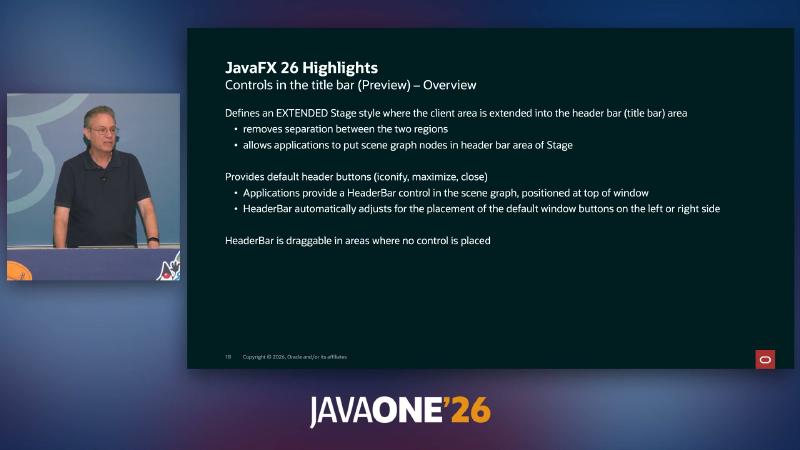
26 also supports EXTENDED dialogs (JDK-8370446); some decoration properties moved to Stage additional properties (details in JDK-8369836).
Why: avoid platform inconsistency and safe-area issues from self-drawn window chrome.
Mechanism/constraints: Preview API; coexists with UNDECORATED self-draw schemes but semantics differ—EXTENDED keeps system button management.
How to:
var stage = new Stage();
stage.initStyle(StageStyle.EXTENDED);
var root = new BorderPane();
root.setTop(new HeaderBar());
stage.setScene(new Scene(root, 800, 600));
stage.show();
Common misconception: stacking a full custom title bar on EXTENDED windows (double click targets); or skipping migration compile after 26 API breaking changes.
Incubator rich text: RichTextArea#
RichTextArea lives in jfx.incubator.richtext for styled ranges, IME, and embedded nodes; the speaker notes it is not an out-of-the-box Word replacement, and HTMLEditor is heavy for many scenarios.
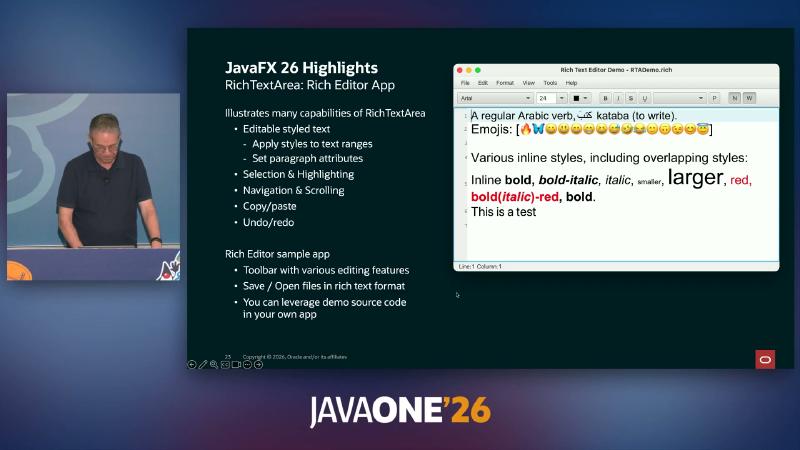
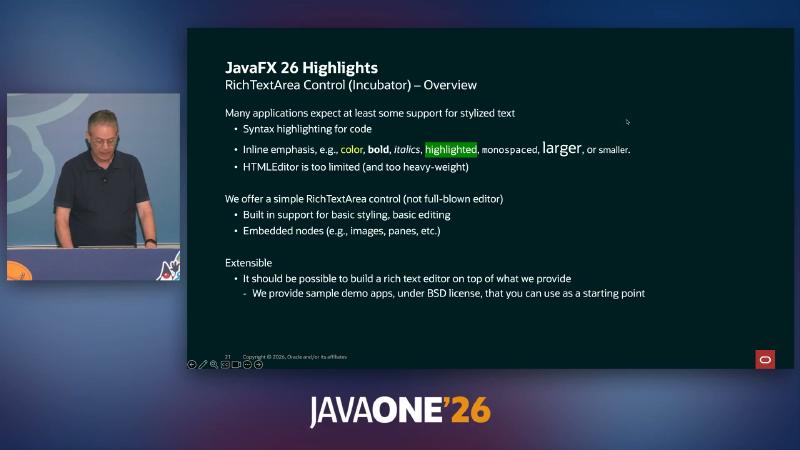
Core write model (verified in Javadoc): appendText and applyStyle; the latter merges conflicting attributes by default. 26 also adds insertStyles (JDK-8374035) and other changes.
var rich = new jfx.incubator.scene.control.richtext.RichTextArea();
// StyleAttributeMap built via builder
rich.appendText("Hello ");
rich.applyStyle(start, end, boldAttributes);
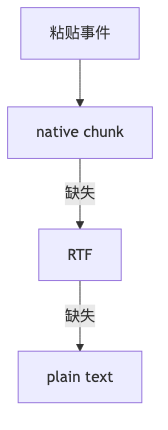
Speaker opinion: paste priority is JavaFX native chunk → RTF → plain text—not found with the same wording in Javadoc/RN; RTADemo.rich could not be located in the public jfx26 tree—may live in an unsynced demo directory.
Common misconception: missing requires jfx.incubator.richtext in module-info or incubator module enablement per release notes; or treating merge semantics as “append only, never overwrite,” stacking styles.
27 EA and graphics-backend outlook#
Beyond 26 GA, jdk.java.net offers JavaFX 27 EA and separate JavaFX Direct3D 12 EA (based on the direct3d12 sandbox branch—not a full 27 build; the page states EA capabilities may never reach GA). On Windows, D3D12 default order in the EA bundle can be d3d12, d3d, sw (JDK-8356815), unrelated to 26 GA.
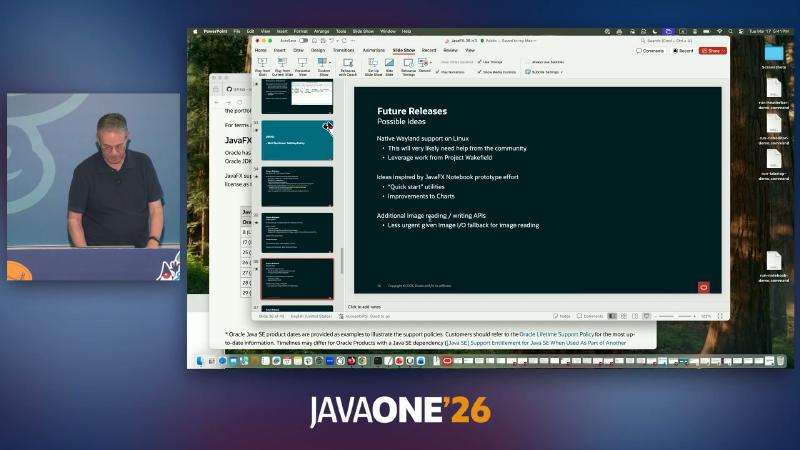
Linux today often relies on XWayland; native Wayland (Wakefield, etc., JDK-8281970) is a long-term toolchain topic. Speaker opinion: D3D12 merge target may be 27 or 28; Charts interaction, Notebook tooling, and more sit under “Possible Ideas”—not 26 GA commitments.
Common misconception: shipping EA sandboxes to production; or not comparing Prism logs separately on macOS for 26 (es2 default) vs 27-ea (mtl first on master).
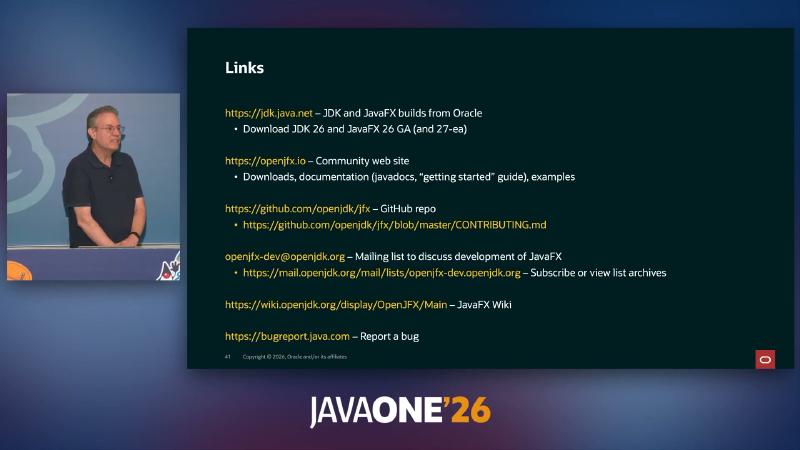
Builds, documentation, and feedback#
| Purpose | Entry |
|---|---|
| JDK / JavaFX builds | jdk.java.net |
| Javadoc, getting started, samples | openjfx.io |
| Source and PRs | github.com/openjdk/jfx |
| Development mailing list | openjfx-dev@openjdk.org |
| Bugs | bugreport.java.com → JBS |
Bug reports should include java -version, OS, prism.order/glass.platform, and a minimal Main reproducer.
Upgrade checklist (reproducible)#
Before merging a Tip release, at least run these five steps—they depend only on your target-platform JDK/JavaFX packages, not a specific build tool:
- Version fingerprint:
java -versionmatches JavaFX SDK path; recordorg.openjfxcoordinates or--module-pathdirectory hash. - Prism log: on macOS, smoke-test with default and
-Dprism.order=mtl, keeping-Dprism.verbose=trueoutput. - Headless smoke: in the CI image, render a
WritableImagesnapshot with-Dglass.platform=headless(add-Dprism.order=swif needed) and pixel-diff against a baseline PNG. - CSS regression: cover
prefers-color-schemeand viewport queries triggered by window resize (26 features). - API boundary: if you depend on
HeaderBar/RichTextArea, enable--releaseand compiler lint so incubator modules do not leak onto the published module-path.
References and further reading#
- OpenJFX community site
- JavaFX 26 download (jdk.java.net)
- JavaFX 27 early-access builds
- JavaFX Direct3D 12 early access
- JavaFX 26 release notes
- JavaFX 25 release notes
- JavaFX 26 new API list
- JavaFX 26 Highlights
- JEP 14: Tip and Tail model
- OpenJFX download and post–JDK 11 separate distribution
- OpenJFX contributing guide
- Oracle Java Verified Portfolio support roadmap
- Oracle Java SE support roadmap
- JavaFX CSS reference
- macOS Metal rendering pipeline (JDK-8271024)