

From ‘It Runs’ to ‘It’s Controlled’: Reliable Java AI Agents with Domain Modeling and Koog#
When enterprises wire large models into customer support, operations, or trading assistance, the first wall they hit is usually not model intelligence but orchestration and contracts: in a single while tool loop, read, write, and user-facing tools are all exposed to the model. No matter how often the prompt says “confirm before transferring,” the schemas remain—and the model can still take a wrong step in one move. JetBrains’ open-source Koog targets the JVM (Kotlin/Java as first-class APIs). Its documentation describes agent strategies including Basic, Functional, Graph-based, and Planner. A banking demo pins “identify problem → fix → verify → adjust” into a type-safe pipeline with domain records, subgraph-limited tools, and graph edge conditions, instead of one prompt owning the whole journey.
If your team already lives in the Spring ecosystem, treat Koog as an “agent runtime + orchestration DSL,” wired through configuration and DI via koog-spring-boot-starter. When you need interoperability with the Spring AI ecosystem, there is also koog-spring-ai-starter. Comparisons with LangChain4j belong in Q&A as presenter opinion; this article focuses on APIs verifiable in official documentation.
The default tool loop: why prompt guardrails are not enough#
Basic agents behave by default like: send a request to the LLM → if it returns a tool call, execute and request again → until an assistant text message appears. Slides spell out that loop in pseudocode:
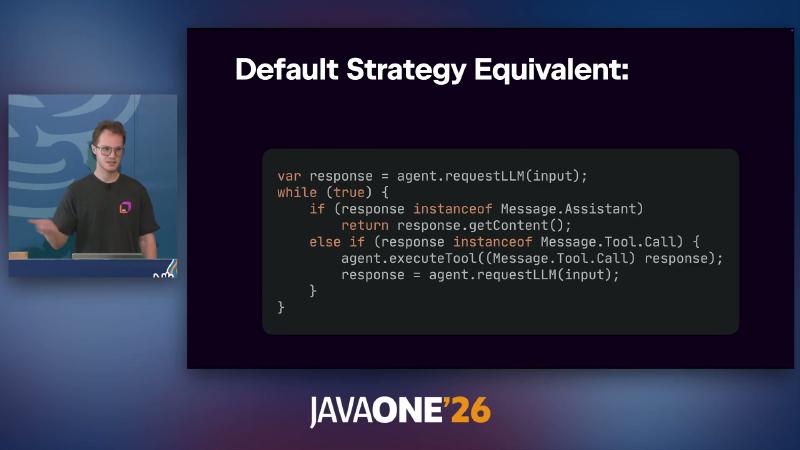
while (true) toggling between Assistant and Tool.Call
Why: Tools registered in ToolRegistry enter the schema the model sees; “everything open” buys high freedom, and tail risk (wrong write calls, skipped steps) is hard to absorb with probabilistic wording alone. Mechanism: The loop itself is deterministic, but which tool is chosen each step is model-driven—a nondeterministic branch. How (anti-pattern, for contrast only):
AIAgent.builder()
    .toolRegistry(ToolRegistry.of(communication, readTools, writeTools))
    .build();
Common mistake: Business-phase constraints live only in systemPrompt, while the tool surface is not shrunk and subgraphs are not split—the model still sees every @Tool. Presenter’s view: In enterprise settings, “even the strongest model drifts about 0.1%–1% of the time” is unacceptable; that range has no official benchmark and must not be treated as an SLA.
From a reliability-engineering angle, the default strategy is not “unusable,” but it lacks auditable phase boundaries: logs show a string of tool calls with no clear answer to “was writing to the database allowed yet?” After moving to a graph strategy, each node’s input/output types, tool subset, and edge conditions can enter code review and unit-test fixtures—closer to how traditional state machines are tested.
Functional agents hand-write a similar loop in Kotlin/Java DSL; control is higher than Basic, but you must still guarantee type flow between phases yourself. If the business is already “fixed DAG + failure loops,” Graph often saves glue code.
Tool layer: pin side effects to Java methods#
A Koog agent is roughly: the agent itself + your JVM application (environment) + one or more models; tools are Java methods with schemas. Annotation-based tools require a class implementing ToolSet, with methods marked @Tool and @LLMDescription.
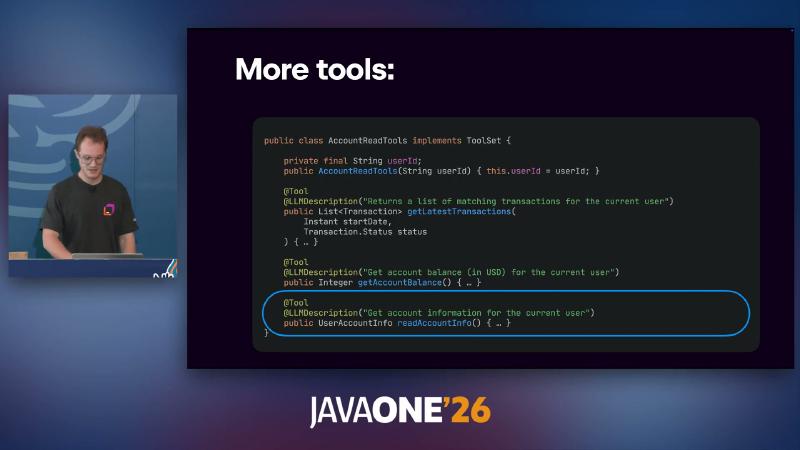
AccountReadTools implements ToolSet, getLatestTransactions / balance queries
Separating read and write sides is the foundation for later limitedTools:
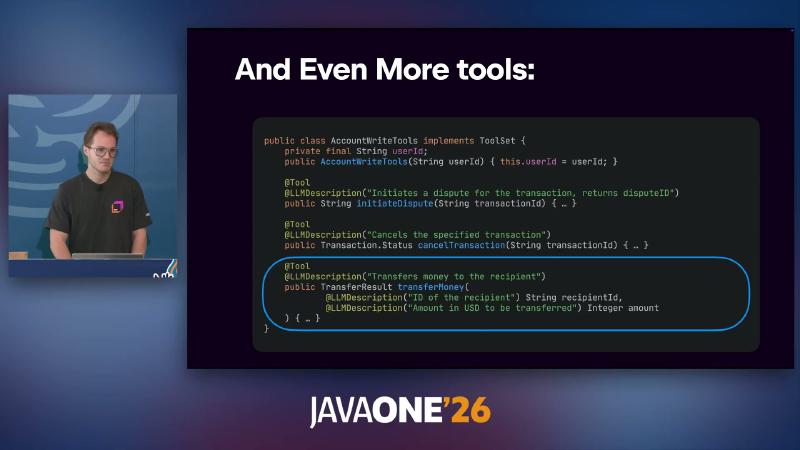
AccountWriteTools with dispute, cancel, transfer, and other writes
public class AccountReadTools implements ToolSet {
    private final String userId;

    @Tool
    @LLMDescription("Get account balance (in USD) for the current user")
    public Integer getAccountBalance() { /* ... */ }
}
Common mistake: Unrelated parameters or non-serializable return types inside @Tool break schema generation; CommunicationTools / AccountReadTools in the demo are example names, not built-in framework types. Another mistake is putting user identity only in the prompt: the demo injects userId in the AccountReadTools(String userId) constructor and forces lookups for the current principal inside the tool—more reliable than letting the model concatenate accountId. That is application-layer authorization; Koog does not replace Spring Security, but tool boundaries should align with Principal.
The Banking example uses the same MoneyTransferTools implements ToolSet pattern and is a cleaner reference than slide OCR noise.
Domain modeling: records instead of bloated prompts#
Why: Multi-step subflows need deliverables you must “fill in to proceed,” not a non-executable wish list. Structured output and @LLMDescription on nodes put field semantics in the schema. Mechanism: After a subgraph declares withInput / withOutput types, the framework constrains structured results inside the tool loop; official Kotlin examples favor @Serializable + @LLMDescription. Java record works, but do not treat demo @JsonProperty as the sole official pattern.
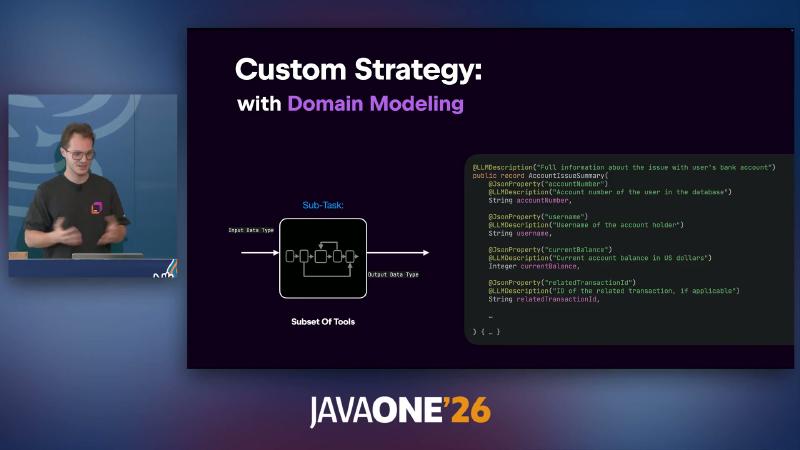
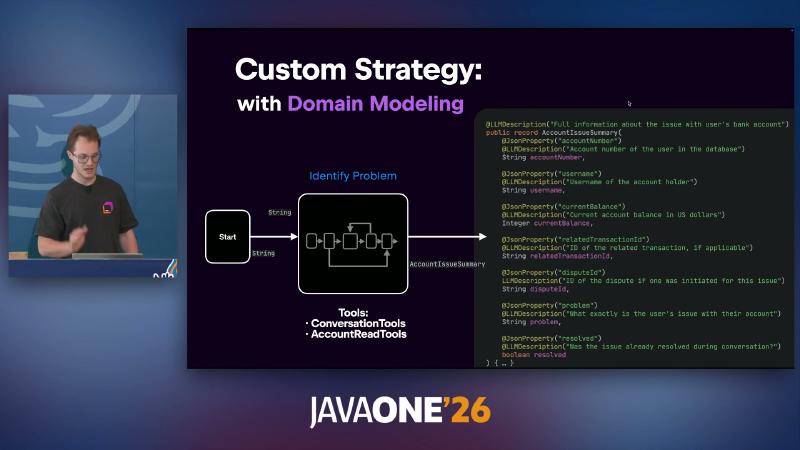
AccountIssueSummary record with @LLMDescription field docs
@LLMDescription("Full information about the issue with user's bank account")
public record AccountIssueSummary(
    @LLMDescription("Account number of the user in the database")
    String accountNumber,
    @LLMDescription("Current account balance in US dollars")
    Integer currentBalance
) {}
Presenter’s view: “Prompts give you hope; domain modeling gives you a contract.” Common mistake: Defining only an output type without limiting tools—the model can still invoke write tools in one step.
Slides stress three subgraph ingredients: Input Data Type, output Data Type, Subset Of Tools—when all three hold, the model must complete an AccountIssueSummary in the tool loop before fixProblem (input type moves from String to the summary record). That is more testable than listing JSON fields in a prompt: unit-test the record, snapshot the schema, and regress in CI.
If field descriptions grow too long, refine @LLMDescription and enum constraints instead of falling back to untyped Map; Map reintroduces parsing ambiguity and silent failure.
Subgraphs: shrink the tool surface per phase#
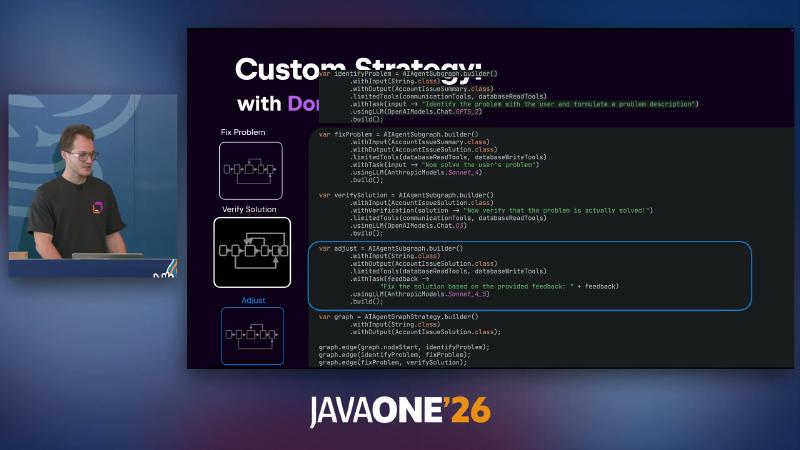
AIAgentSubgraph declares per-phase input/output types, a .limitedTools(...) subset, and task copy; verification uses .withVerification(...) with return type CriticResult (slide OCR’s CritiqueResult should be CriticResult per official API).
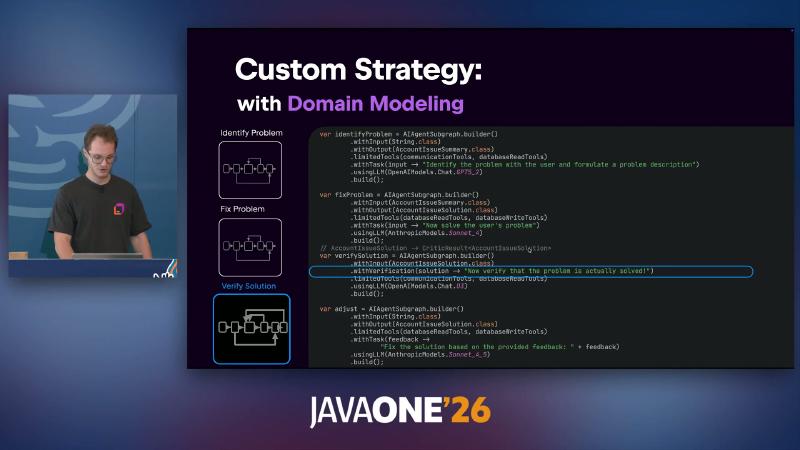
AIAgentSubgraph.builder() + `LimitedTools(communicationTools, databaseReadTools)
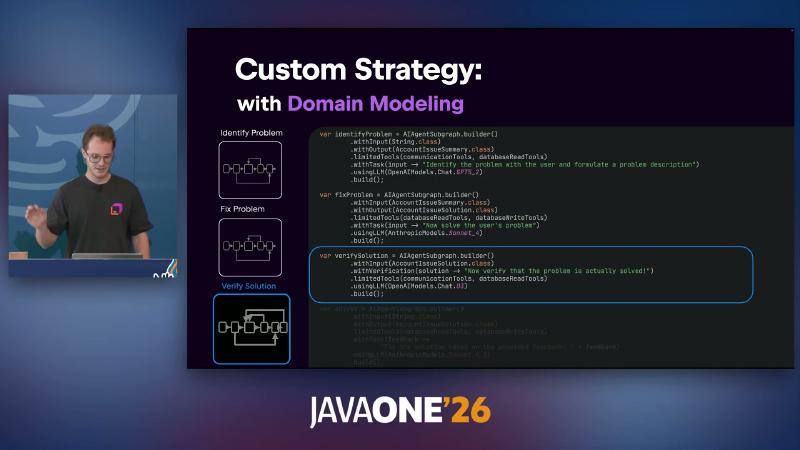
withVerification
var identifyProblem = AIAgentSubgraph.builder("identify-problem")
    .withInput(String.class)
    .withOutput(AccountIssueSummary.class)
    .limitedTools(List.of(communicationTools, databaseReadTools))
    .withTask(input -> "Identify the problem with the user and formulate a problem description")
    .build();

var verifySolution = AIAgentSubgraph.builder("verify-solution")
    .limitedTools(List.of(communicationTools, databaseReadTools))
    .withVerification(solution -> "Now verify that the problem is actually solved: " + solution)
    .build();
Mechanism: Tools not listed in limitedTools are invisible to the model. Presenter’s view: Conversational steps can use a more dialogue-oriented model; tool-heavy steps can use a model tuned for tool calling. Subgraph examples in docs use llmModel configuration; slide OCR’s .usingLLM(...) must be checked against local Javadoc before use.
Common mistake: Stuffing verification into ordinary withTask instead of withVerification, losing typed wiring between CriticResult and graph edges.
Identification usually attaches only communicationTools and databaseReadTools; repair adds AccountWriteTools—aligned with least privilege. After verification yields CriticResult, the success path can map original input to nodeFinish (docs use mappings like CriticResult::getInput); the failure path passes only getFeedback to adjust, avoiding hand-copying full conversation history into adjust’s prompt.
Graph strategy: type-safe edges and the verify→adjust loop#
AIAgentGraphStrategy uses AIAgentEdge with onCondition + transformed for branches: on verification failure, map critique to adjust feedback, then loop back to verify.

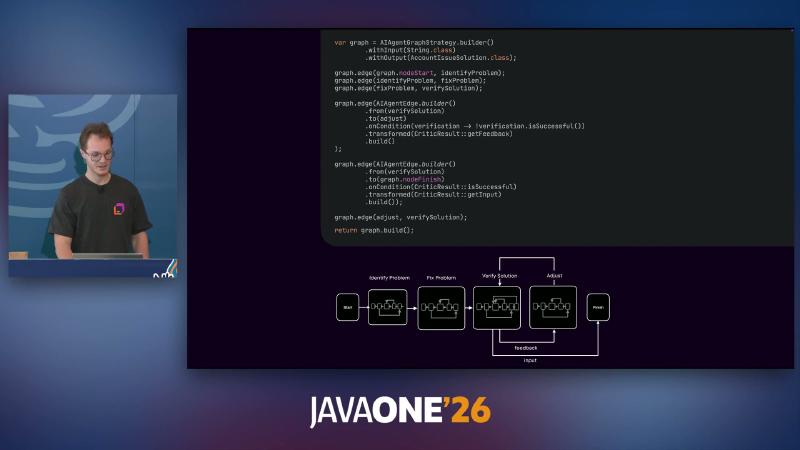
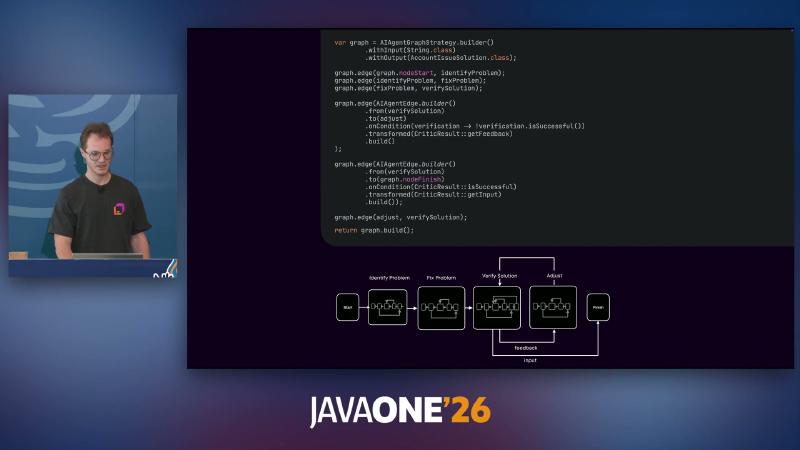
AIAgentGraphStrategy.builder() and transformed(CriticResult :: getFeedback)
var graph = AIAgentGraphStrategy.builder("banking-support")
    .withInput(String.class)
    .withOutput(AccountIssueSolution.class);

graph.edge(graph.getNodeStart(), identifyProblem);
graph.edge(identifyProblem, fixProblem);
graph.edge(fixProblem, verifySolution);

graph.edge(AIAgentEdge.builder()
    .from(verifySolution)
    .to(adjust)
    .onCondition(v -> !v.isSuccessful())
    .transformed(CriticResult::getFeedback)
    .build());
graph.edge(adjust, verifySolution);

return graph.build();
Why: Banking workflows become a state machine with compile-time checks, avoiding runtime string glue. Common mistake: Incompatible from/to types on edges—the builder should fail at compile time.
Key features mention LLM switching and seamless history adaptation; subgraphs share LLM context (subgraphs overview). “Automatically fix history tool calls when shrinking the tool set” was not found in docs reviewed here—treat as presenter opinion / unverified.
Cross-node business data can go in AIAgentStorage, separate from the LLM transcript the framework passes between subgraphs and adapts when switching models (official wording, not a literal “re-explain” algorithm). Custom guardrails can use Custom nodes via AIAgentNode.builder, orthogonal to graph strategy.
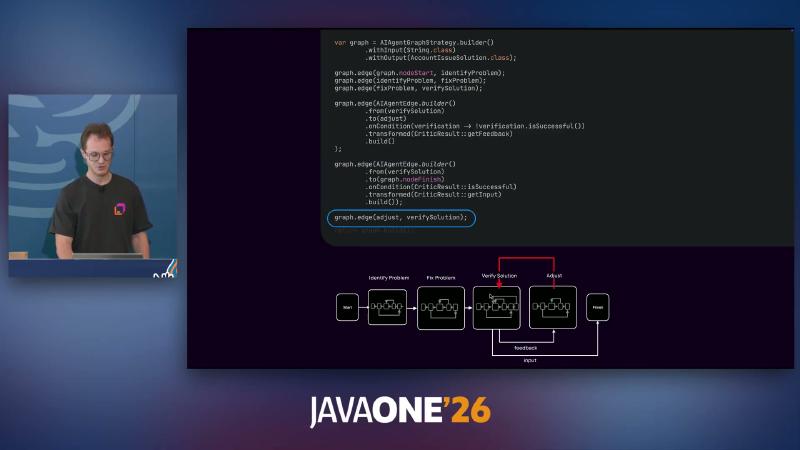
graph.edge(adjust, verifySolution) closes the verification loop
Planner: path search vs hand-written graphs#
When branch combinations explode and hand-written edges are costly, use a GOAP planner: declare precondition, belief (state side effects), and goal; A* picks the path at runtime—the planner itself does not use an LLM to choose routes (each action’s execute may still call an LLM).
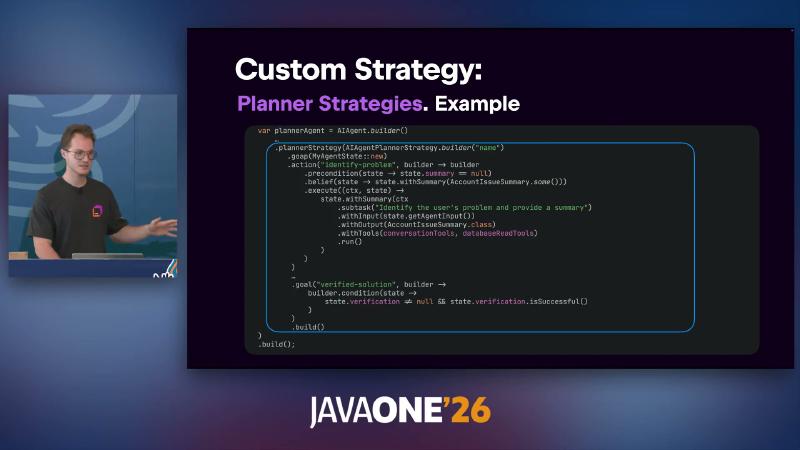
AIAgentPlannerStrategy + identify-problem action

Java docs mostly enter through Planners.goap(...), semantically close to slide AIAgentPlannerStrategy.builder but constructor API names belong in Javadoc. Planner agents state control is weaker than hand-written graphs—good for exploratory orchestration, not fixed compliance pipelines.
Why choose Planner: Action libraries are stable and preconditions are formalizable, but order varies with user input. Mechanism: GOAP runs A* over discrete actions without LLM-chosen edges, lowering “skip step” risk; cost is less predictable runtime paths—audit logs should record the planner’s chosen action sequence. Common mistake: Putting the LLM inside precondition strings without solidifying belief updates, so search space drifts from real state.
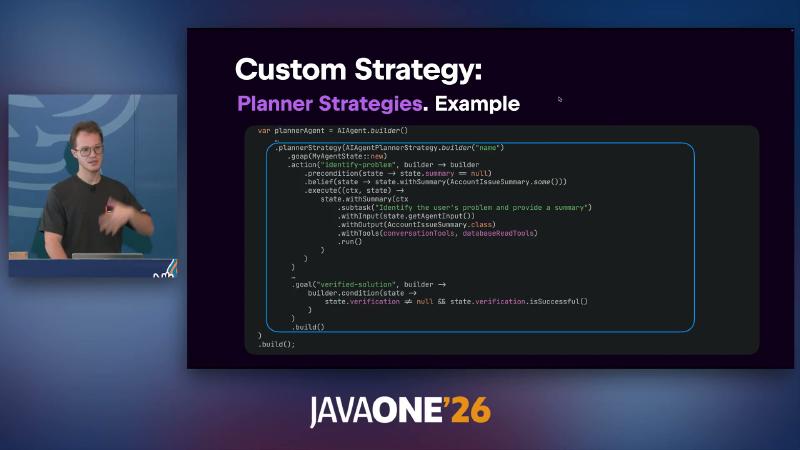
precondition / belief / execute with identify-problem action
Embedding in Spring: executors, sessions, and memory#
Spring Boot integration can inject MultiLLMPromptExecutor for provider fallback; configuration prefix is ai.koog.<provider>.* (not draft koog.models from demos). Multi-turn chat installs ChatMemory.Feature + ChatHistoryProvider store/load, with agent.run(message, sessionId).
ai.koog.openai:
  api-key: ${OPENAI_API_KEY}
@PostMapping("/support")
String support(Principal principal, @RequestBody String request) {
    return agent.run(request, principal.getName());
}
Common mistake: Treating ChatMemory as crash recovery—it usually stores messages after run() succeeds; different from Persistence below.
Install example (per official docs):
AIAgent.builder(promptExecutor, model, toolRegistry, strategy)
    .install(ChatMemory.Feature, cfg -> cfg
        .historyProvider(jdbcHistoryProvider)
        .windowSize(50))
    .build();
Depends on ai.koog:agents-features-memory (≥ 0.7.0). Postgres/JDBC requires a custom ChatHistoryProvider; if you already use Spring AI’s ChatMemoryRepository, use the spring-ai starter adapter. Common mistake: windowSize too small truncates the account the user just mentioned; too large raises cost and latency—pair with history compression below.
Persistence: graph node checkpoints vs ChatMemory#
Agent persistence checkpoints after graph node execution: message history, last successful node, storage, etc. Functional agents document No state persistence, consistent with “only graph/node strategies suit resume after interruption.”
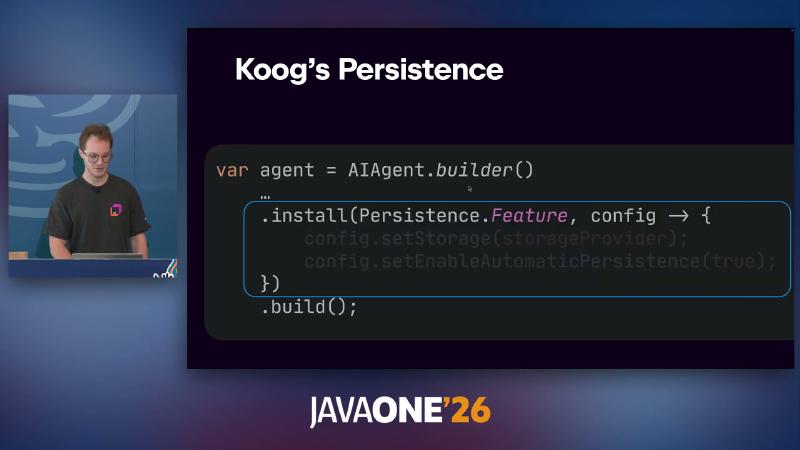
install(Persistence.Feature, ...) and enableAutomaticPersistence
var agent = AIAgent.builder()
    .graphStrategy(graphStrategy)
    .install(Persistence.Feature, config -> {
        config.setStorage(storageProvider);
        config.setEnableAutomaticPersistence(true);
    })
    .build();
| Dimension | ChatMemory | Persistence |
|---|---|---|
| What is saved | Conversation messages | Execution state (including graph node path) |
| Typical use | Same user, many /support calls | Long flows, resume after pod eviction |
| When saved | After successful run | After each node (can be automatic) |
Observability and history compression#
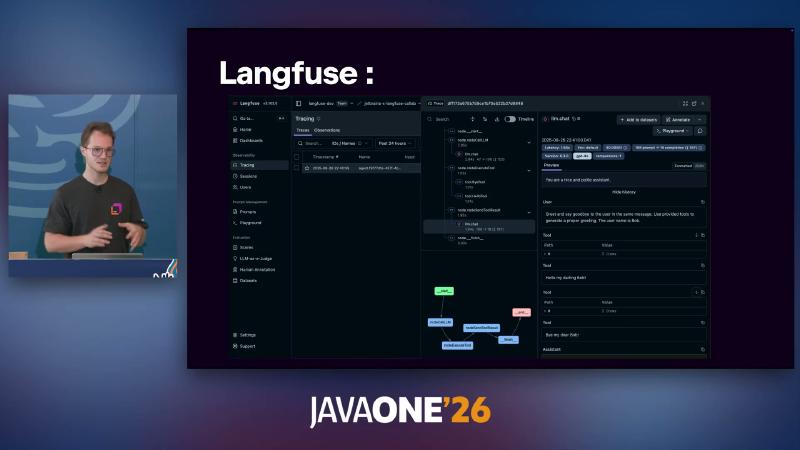
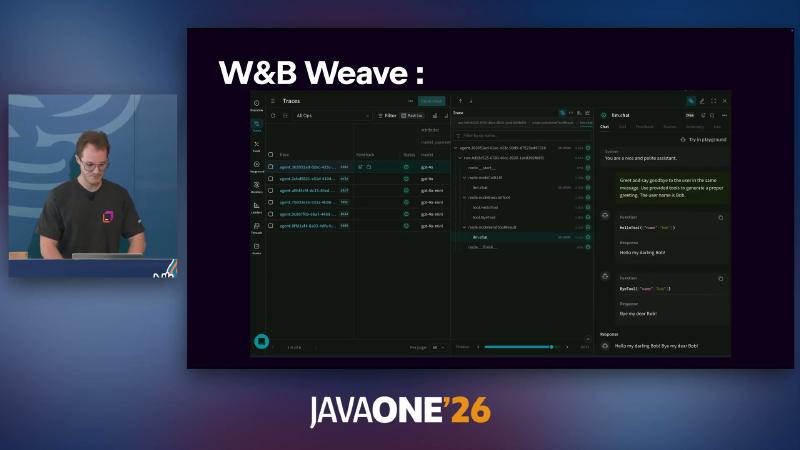
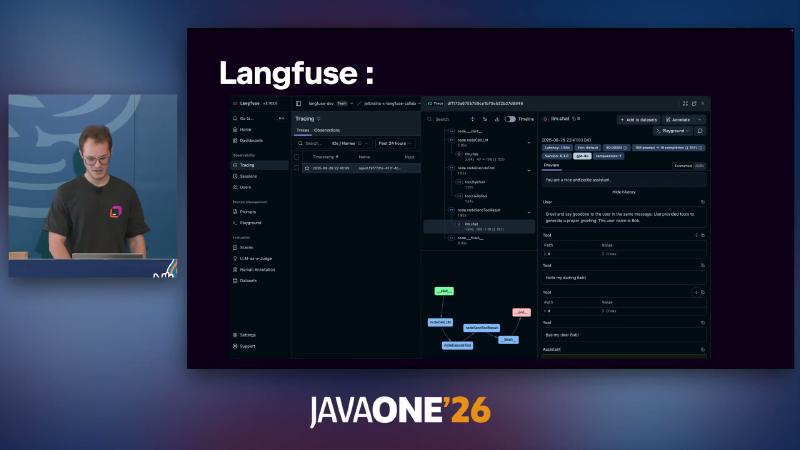
With OpenTelemetry support installed, you can wire SpanExporter or Langfuse, W&B Weave, Datadog, and others (docs already include a Datadog exporter; “planned” wording in the talk may differ by timeline).
Long conversations can insert AIAgentNode.llmCompressHistory(...) in the graph, with strategies like Chunked(n) or FactRetrievalHistoryCompressionStrategy (not OCR’s RetrieveFactsFromHistory).
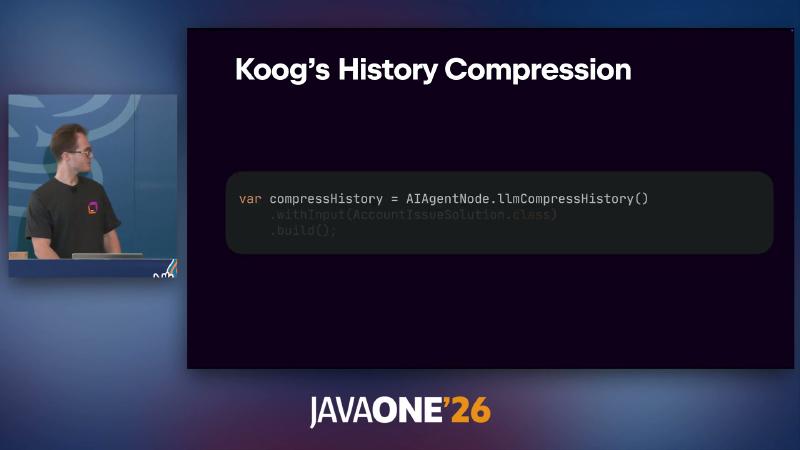
AIAgentNode.llmCompressHistory()
var compressHistory = AIAgentNode.llmCompressHistory("compress")
    .withInput(AccountIssueSolution.class)
    .compressionStrategy(new FactRetrievalHistoryCompressionStrategy(/* concepts */))
    .build();
Presenter’s view: Fact-retrieval compression showed roughly 6–8% improvement in JetBrains internal benchmarks; no public reproduction protocol—do not write into an SLA.
On observability, Langfuse adds Prompt Management, Datasets, and more (see demo screenshots); production should link traceId to business sessionId so support tickets can trace one agent run. OpenTelemetry export can follow Langfuse docs for LANGFUSE_PUBLIC_KEY / LANGFUSE_SECRET_KEY environment variables instead of hard-coded secrets.
Compression nodes usually sit between “fix” and “verify”: graph.edge(fixProblem, compressHistory); graph.edge(compressHistory, verifySolution);—extract facts with domain input (e.g. AccountIssueSolution) before context limits, less likely to drop account numbers than blunt truncation—still spot-check compressed output because LLM summaries are lossy.
Strategy selection (quick reference)#
| Strategy | Control | Fit |
|---|---|---|
| Basic | Low | Prototypes, internal tools |
| Functional | Medium | Code-as-flow, testable DSL |
| Graph | High | Compliance pipelines, explicit loops |
| GOAP Planner | Medium (dynamic path) | Many branches, willing to trade fixed topology |
Comparisons with Spring AI and LangChain4j are presenter Q&A opinion; this article does not expand a competitor matrix.
Landing checklist (from docs): (1) Do writes appear only in later subgraph limitedTools? (2) Does verification use withVerification + CriticResult edges? (3) Does multi-turn HTTP use sessionId + ChatMemory? (4) For long flows, is Persistence enabled—not chat memory alone? (5) Is OpenTelemetry export wired in production? (6) Are API symbols taken from api.koog.ai and version Javadoc—slide OCR model constant names change across releases.
Koog was “battle tested” in JetBrains internal products before open source—specific product lines and scale are presenter opinion; technical choice should still rest on graph-strategy experiments, fault injection, and replay under your compliance bar. If you are migrating orchestration from Python back to the JVM, reuse existing transaction boundaries and data sources first; treat Koog subgraphs as typed use-case steps inside application services, not side scripts—so domain records and repository types stay one source of truth and DTO drift shrinks.
References and further reading#
- Koog product page (JetBrains)
- Key features — Java API and capability list
- Basic agents — default tool loop
- Annotation-based tools — ToolSet and @LLMDescription
- Custom subgraphs — limitedTools and Java examples
- Custom strategy graphs — AIAgentEdge and conditional edges
- GOAP agents — planner and Java Planners.goap
- Spring Boot integration — MultiLLMPromptExecutor
- Chat memory — sessionId and windowSize
- Agent persistence — checkpoint semantics
- OpenTelemetry support — SpanExporter installation
- Langfuse exporter configuration
- History compression — compression strategy API
- Banking example — end-to-end domain modeling